How I Generated My Site Illustrations with Adobe Illustrator and Firefly AI
January 15, 2026
In this post, I’ll walk through how I created the illustrations for this site. By combining Adobe Illustrator and Photoshop with Adobe Firefly AI, I was able to craft custom visuals that help define the look and feel of the project.
The Tools of the Trade
With an Adobe Creative Cloud Pro account, I have access to Adobe Illustrator and Adobe Photoshop along with 4,000 AI credits. This setup allows for a lot of experimentation without worrying too much about hitting limits.
Backgrounds with Firefly Vector 4
For most of the atmospheric elements like autumn.png, autumn-1.png, and bg.jpg, I used Firefly Vector 4.

autumn.png

autumn-1.png

bg.jpg
One of the best parts? Using Firefly Vector 4 only costs 1 credit for 3 variations. I noticed that Adobe Firefly works exceptionally well for background elements where you want a consistent style and clean vector output.
Detailed Illustrations with Ideogram
When I needed more intricate details, like for jes.png, I turned to premium partner models. Specifically, jes.png was generated using Ideogram 3.
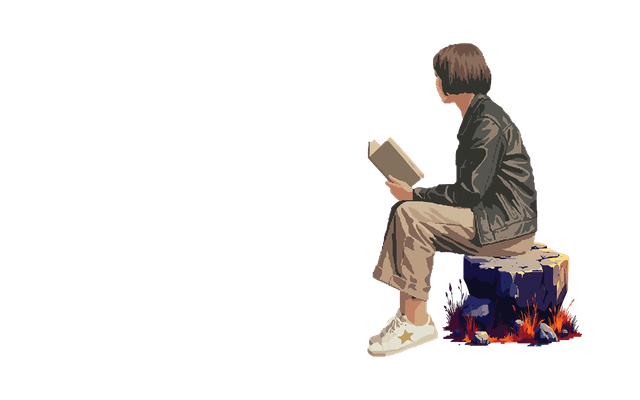
jes.png - generated with Ideogram 3
While Firefly is great for backgrounds, partner models like Ideogram really shine when you need that extra level of detail in the subject matter. I also used ChatGPT to help me polish the prompts for these detailed illustrations to ensure I got exactly the look I was after.
Choosing the Right Model
In my experience, Adobe Firefly works best with backgrounds. However, if you want more details on the image, Premium partner models such as Ideogram are the way to go. Other notable premium models available include GPT-4o and Gemini 2.5 Nano Banana.
Other Illustrations
In addition to the primary illustrations, I created a set of supporting visuals to enhance different areas of the site. The jes-code.png asset was generated in Adobe Illustrator using GPT-4o Vector Generation, then refined with manual edits in Photoshop. This illustration became the base asset for multiple derived variations, representing me across the site.

jes-code.png
Variations
The variations are created using ChatGPT web app then manually edited on Adobe Photoshop.

jes-sad.png - used for the 404 page template

jes-wait.png - used for the coming soon page